How to Deposit Money on Binomo in 2026: Step-by-Step Guide, Fees & Processing Time

In this step-by-step guide, you’ll learn how to deposit money on Binomo, explore available payment methods, and understand associated fees and processing times so you can fund your account smoothly and begin trading with confidence.

Binomo Deposit Process Overview
Binomo is a trusted online trading platform that enables users to fund their accounts easily and securely while accessing a wide range of global financial markets. Developed with a strong commitment to reliability, transparency, and user convenience, Binomo provides efficient payment solutions that allow traders to manage their funds with confidence.The platform supports multiple deposit methods and offers access to diverse asset classes such as Binary Options, commodities, indices, and cryptocurrencies. This flexibility makes Binomo suitable for both beginners who are just starting their trading journey and experienced traders looking for fast and dependable funding options.
Below is a concise overview of the Binomo deposit process, designed to guide you through adding funds to your trading account smoothly and without complications.
#1 Open the Authorized Binomo Website
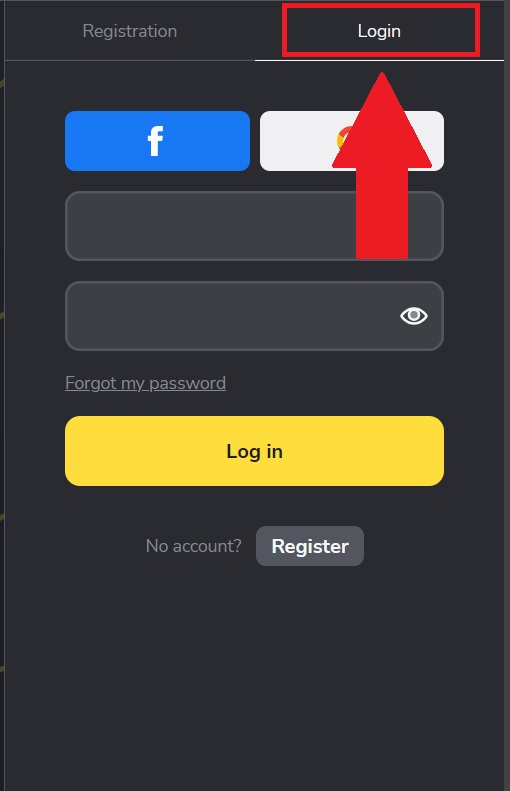
First, navigate to the authentic Binomo website and verify the URL to ensure a safe and secure connection. The platform is designed with a modern and intuitive layout that allows users to move through the registration and login process effortlessly.After reaching the homepage, click on [Register] and choose [Login] to open the account sign-in form.

#2 Navigate to the Deposit Section
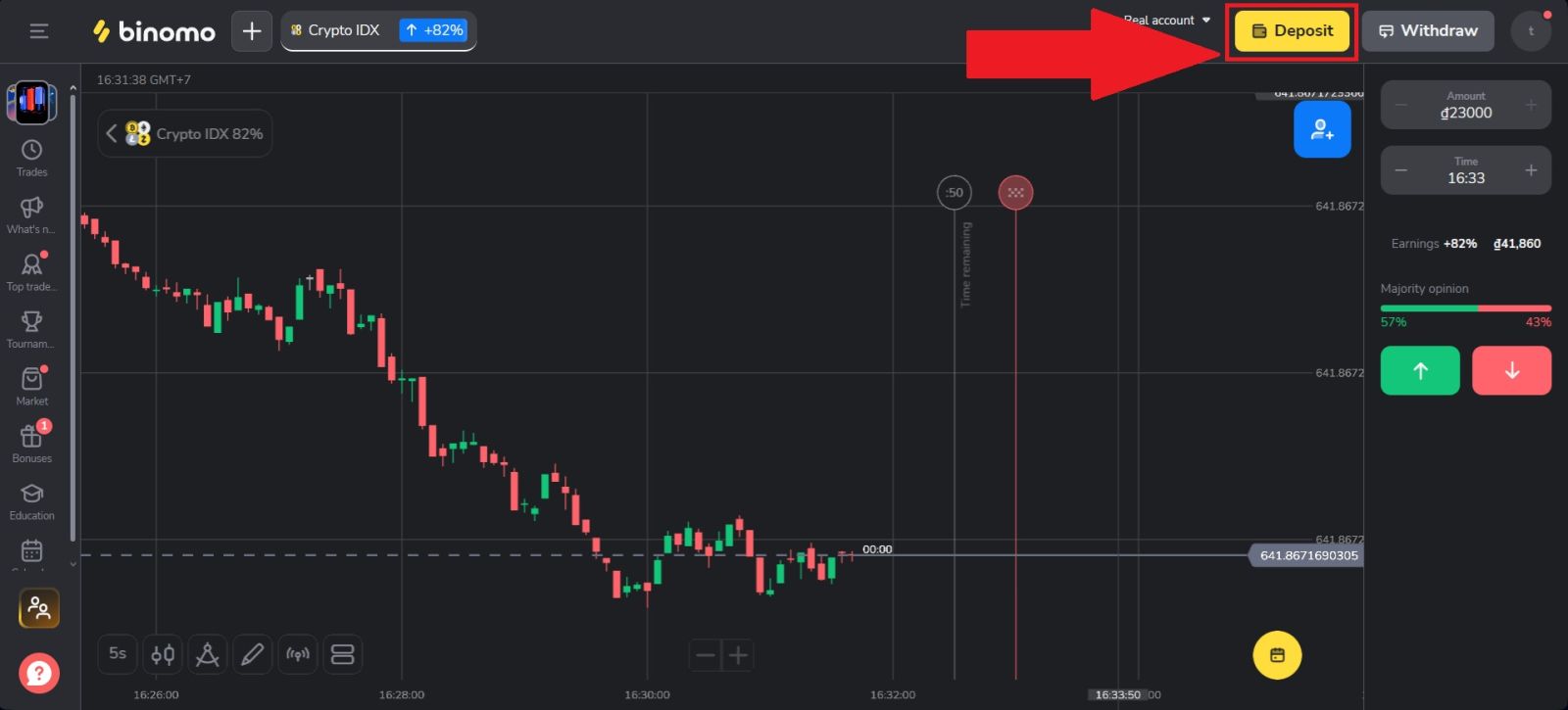
Once you have successfully logged in to your Binomo account, navigate to the [Deposit] section by clicking on [Deposit] located at the top right corner of the Binomo homepage.This section allows you to manage your account funding options, you will be directed to the deposit page where you can choose your preferred payment method, review available deposit options, and proceed with funding your trading account securely.
#3 Select your Cryptocurrency
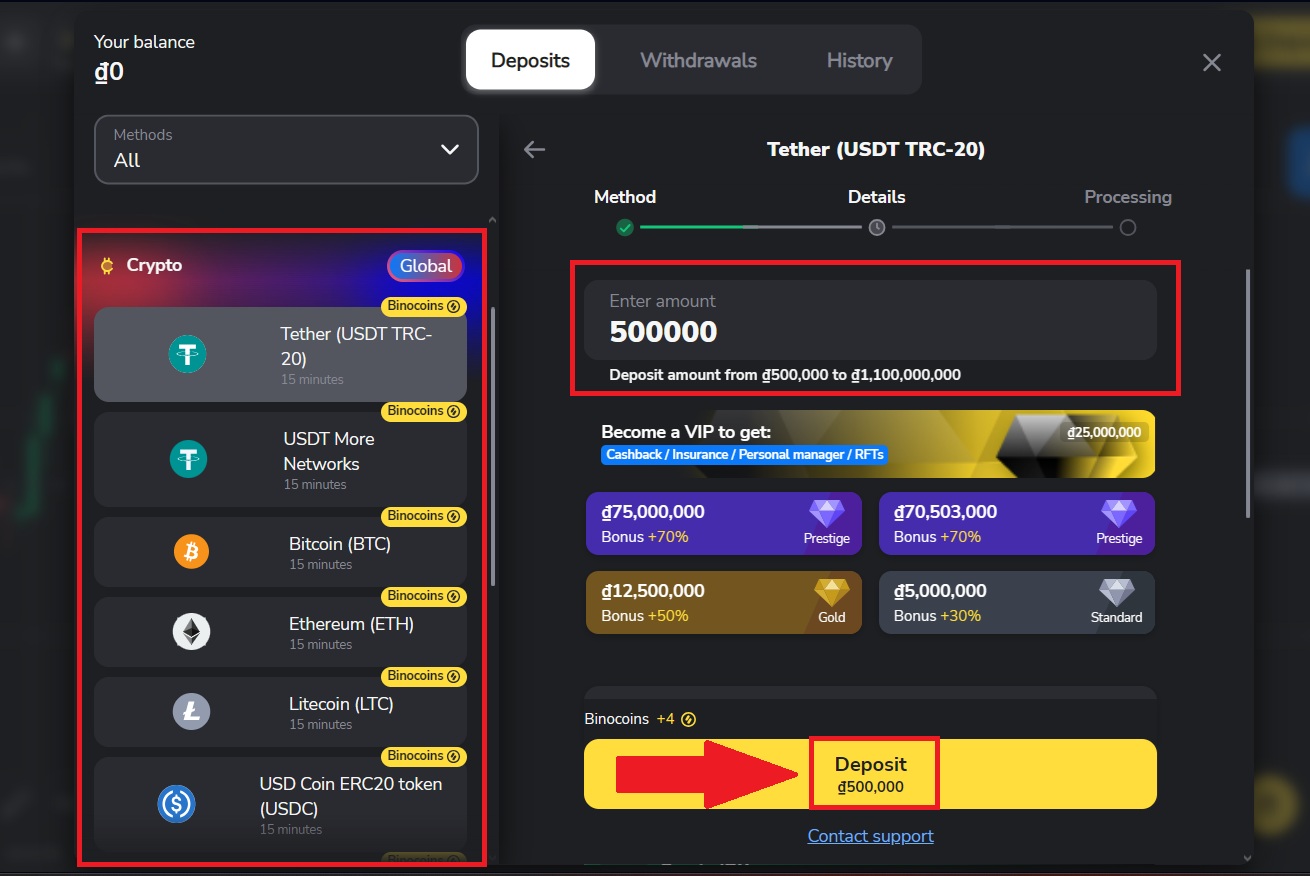
Next, select the payment method you would like to use for your deposit to continue the process. Enter the amount that you want and click on [Deposit]. In this example, (USDT/TRC20) is selected, which is a popular choice due to its fast transaction speed and low network fees.
#4 Continue processing your payment.
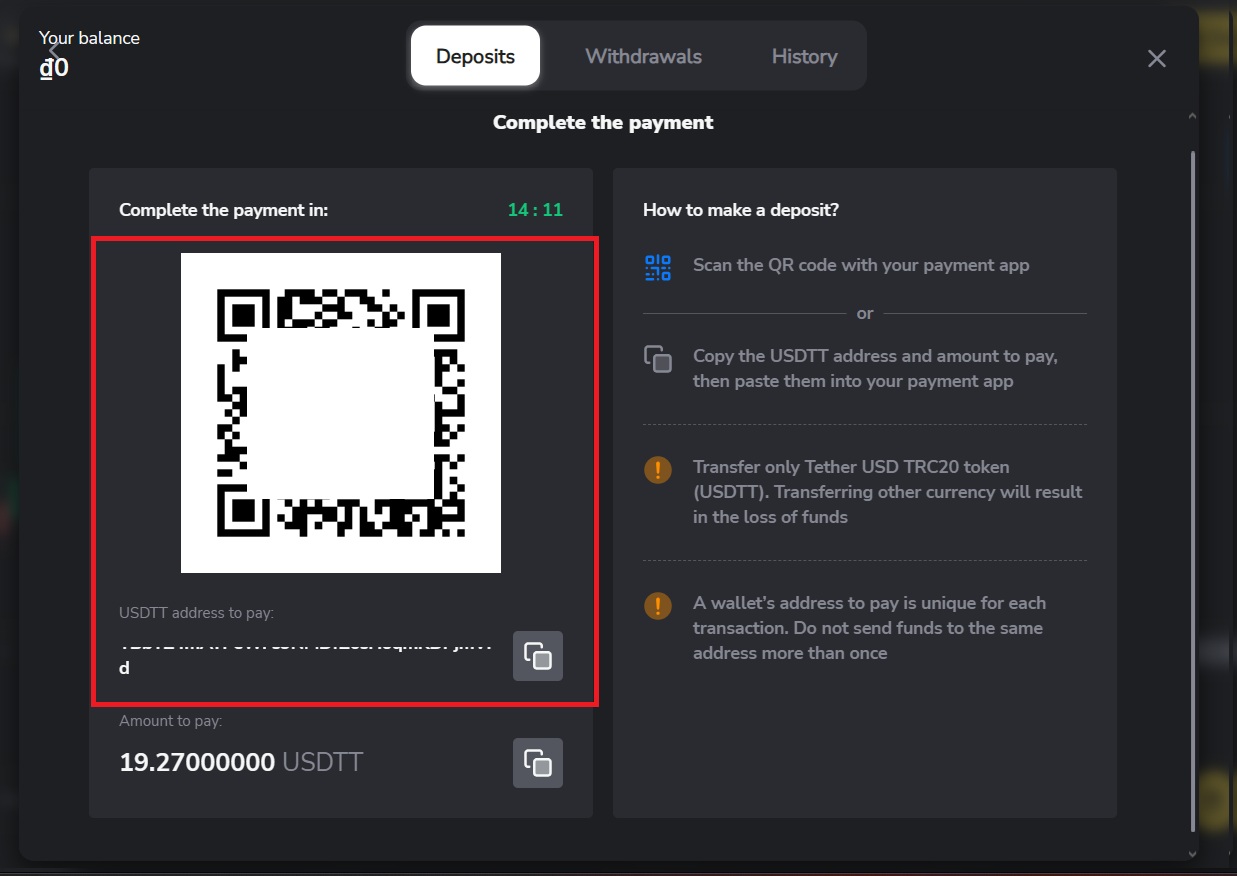
Continue processing your payment by copying the deposit details provided. Click the [Copy] icon to copy the wallet address or scan the QR code associated with the deposit address, then paste or use it on your external wallet or withdrawal platform.
Using this information, you can complete your deposit by finalizing and confirming the withdrawal from your external wallet or third-party account.
Once you’ve completed the deposit, you can view your wallet to check your updated balance.
Conclusion: Deposit Money into Your Binomo Account Smoothly and Securely
Funding your Binomo account is a quick and straightforward process when you follow the correct steps and choose a supported payment method. By understanding any applicable fees and expected processing times, you can plan your deposit effectively and avoid delays.
With a user-friendly deposit system and reliable transaction handling, Binomo makes it easy to add funds and begin trading with confidence.