Binomo Login Guide 2026: How to Access Your Account, Fix Login Issues & Recover Access

Logging into your Binomo account is the gateway to everything — your trading dashboard, funds, open positions, and account settings.
While the login process itself is simple, many users encounter issues such as incorrect passwords, verification problems, or account restrictions. Understanding how the system works — and how to fix common errors — will help you avoid delays and maintain uninterrupted access.
In this guide, you’ll learn how to log in to Binomo step by step, how to recover your account if something goes wrong, and how to secure your account for safe trading.
👉 Continue exploring Binomo step by step: Binomo full system overview
Access everything from account setup to trading and withdrawals in one place.

📌 Binomo Login Overview
Before signing in, here’s what you should know:
- You can log in using:
- Email password
- Google account
- Facebook account
- Login works on both:
- Web platform
- Mobile app
- Security features like 2FA (two-factor authentication) may be required
👉 If you don’t have an account yet, follow this guide on how to create a Binomo account before logging in.
🔑 Step-by-Step: How to Log in to Binomo
🔹 Step 1: Access the Official Binomo Platform
Go to the official Binomo website.
Check:
- Correct domain
- Secure connection (HTTPS)
- No suspicious redirects
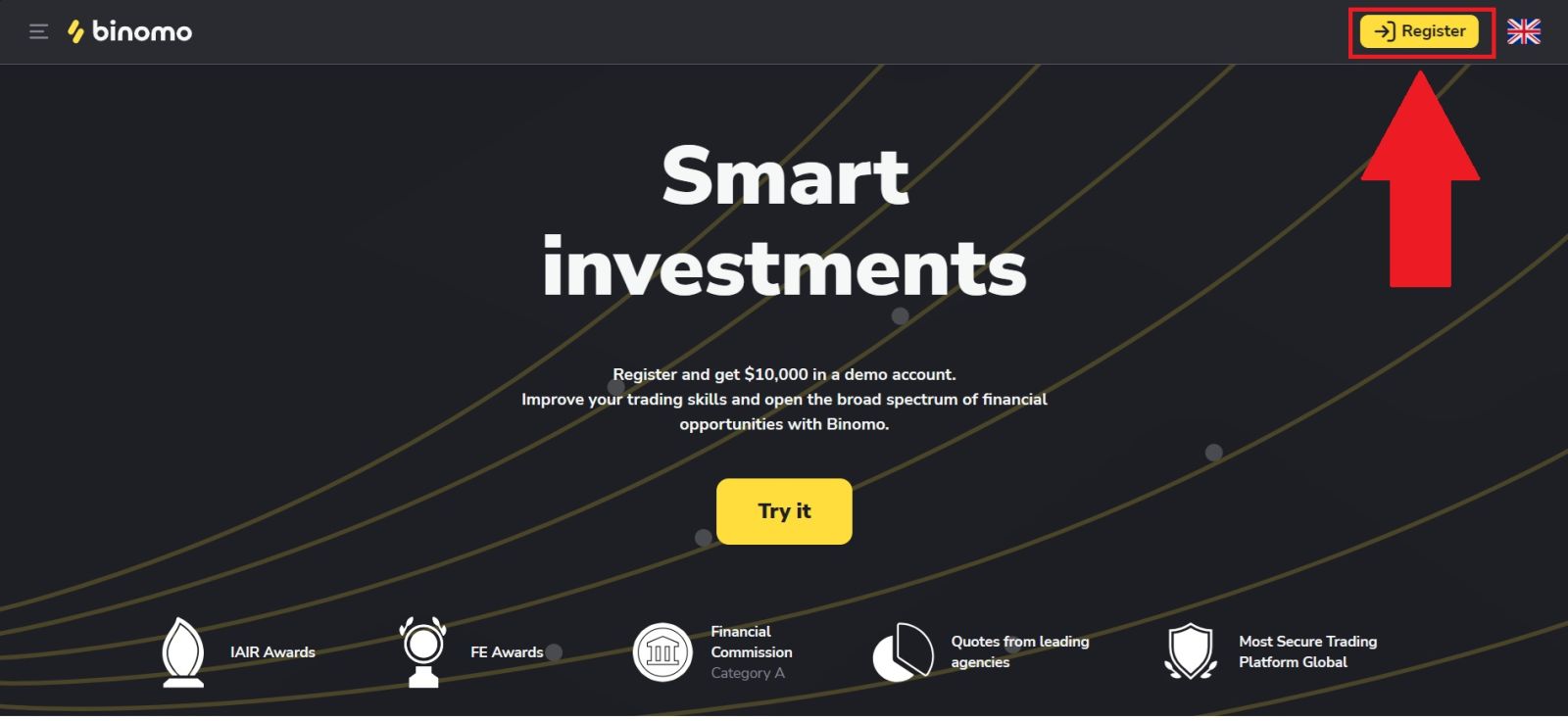
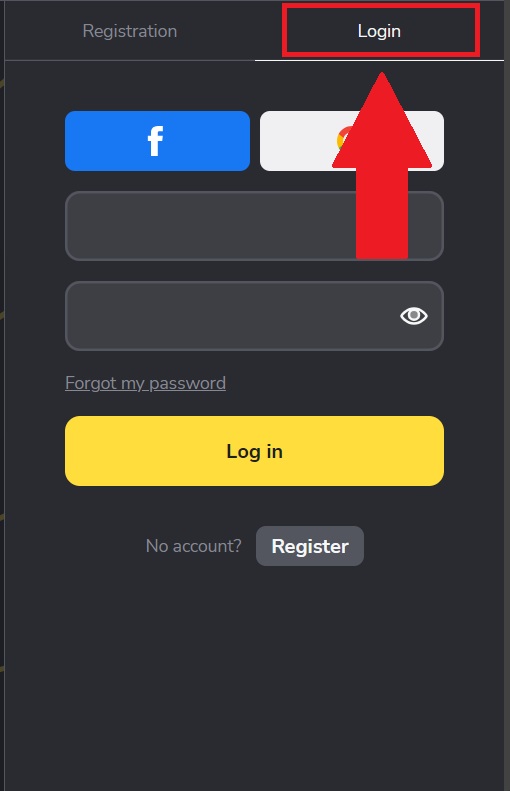
On the homepage, click the “Login” button.
🔹 Step 2: Enter Your Login Details
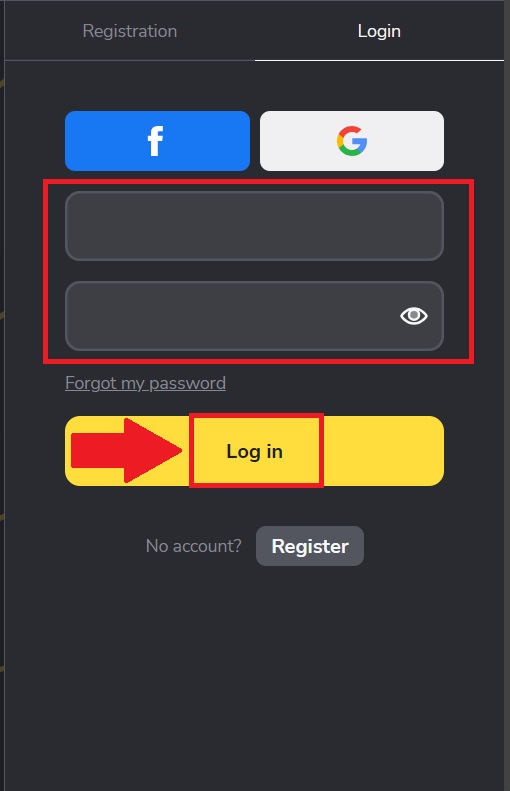
You will see the login form. Enter:
- Your registered email
- Your password
Or choose alternative login:
Then click “Log in” to access your account.
🔹 Step 3: Complete Security Verification (If Required)
In some cases, Binomo may request additional verification:
- Email confirmation code
- Security check (2FA)
- Device verification
Enter the required code correctly to proceed.
🔹 Step 4: Access Your Trading Dashboard
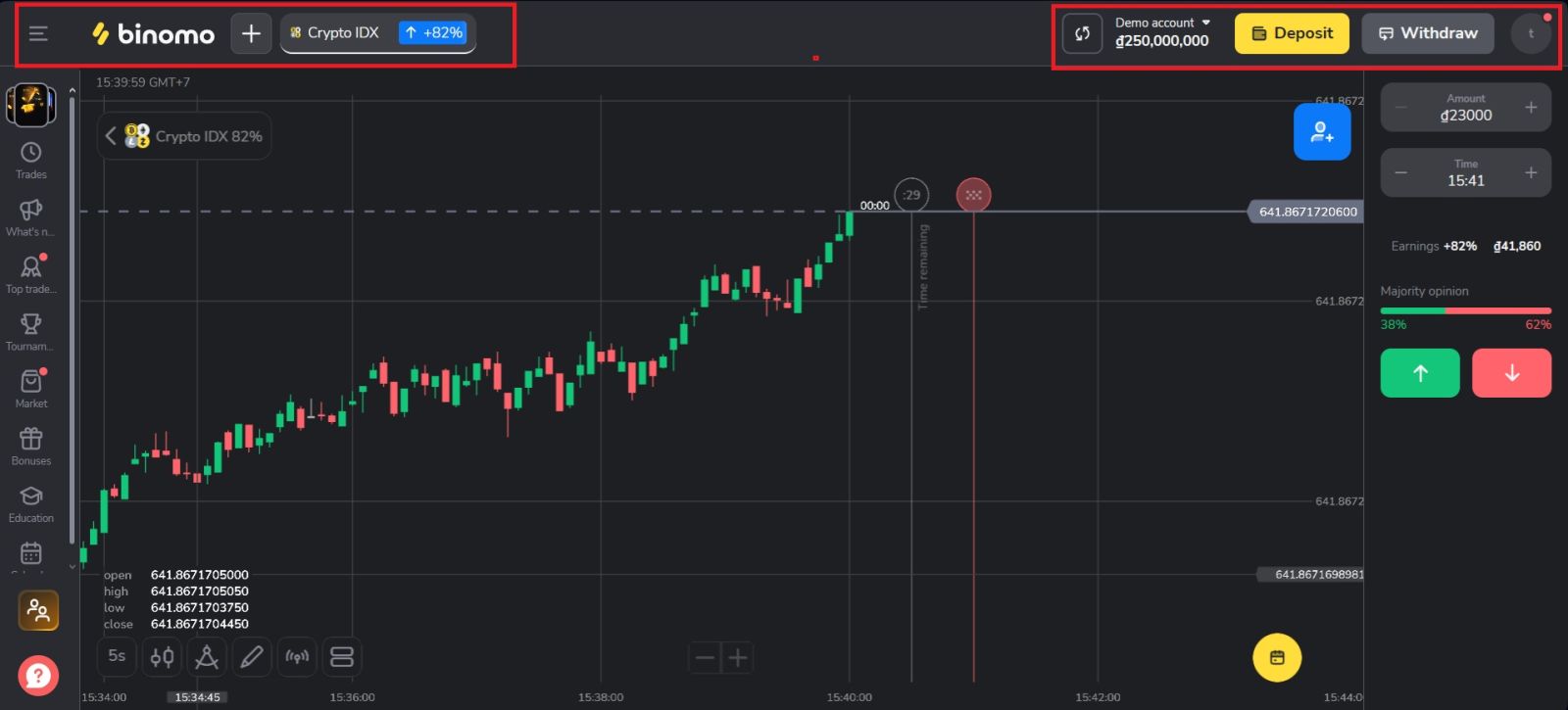
Once logged in, you will be redirected to your dashboard where you can:
- View your account balance
- Access demo or real account
- Open and manage trades
- Deposit or withdraw funds
👉 Before trading, make sure you understand how to trade on Binomo effectively to avoid beginner mistakes.
⚠️ Common Binomo Login Issues How to Fix Them
❌ Incorrect Email or Password
Problem:
You enter login details but cannot access your account.
Solution:
- Double-check spelling and case sensitivity
- Make sure Caps Lock is off
- Try resetting your password
❌ Forgot Password
Problem:
You cannot remember your password.
Solution:
- Click “Forgot password” on the login page
- Enter your registered email
- Follow the reset link sent to your inbox
Create a strong new password and store it securely.
❌ Verification Code Not Received
Problem:
You don’t receive the login code.
Solution:
- Check spam/junk folder
- Wait a few minutes and resend
- Ensure your email is correct
❌ Account Temporarily Locked
Problem:
Too many failed login attempts.
Solution:
- Wait and try again later
- Reset your password
- Avoid repeated incorrect entries
❌ Browser or App Issues
Problem:
Login page not loading or errors appear.
Solution:
- Clear cache and cookies
- Try a different browser
- Update the app
- Disable VPN if needed
🔐 How to Keep Your Binomo Account Secure
To protect your account:
- Use a strong, unique password
- Enable 2FA if available
- Never share login details
- Avoid logging in on public devices
- Always log out after use
👉 To ensure full access to deposits and withdrawals, learn how Binomo account verification works after logging in.
🔄 What to Do After Logging In
Once inside your account, follow this flow:
- Check your account settings
- Switch to demo mode if you’re new
- Learn the trading interface
- Complete verification (when needed)
- Deposit funds only when ready
👉 You can continue with how to deposit funds on Binomo when you are prepared to trade with real money.
✅ CONCLUSION: ACCESS YOUR BINOMO ACCOUNT SECURELY
Logging into your Binomo account is a straightforward process, but understanding how to handle login issues and secure your account is essential for a smooth trading experience.
By following the correct steps and knowing how to troubleshoot common problems, you can avoid unnecessary delays and stay focused on trading. A secure and accessible account is the foundation for everything you do on the platform.
👉 Continue exploring Binomo step by step: Binomo full system overview
Access everything from account setup to trading and withdrawals in one place.